Set TitleBlock Field

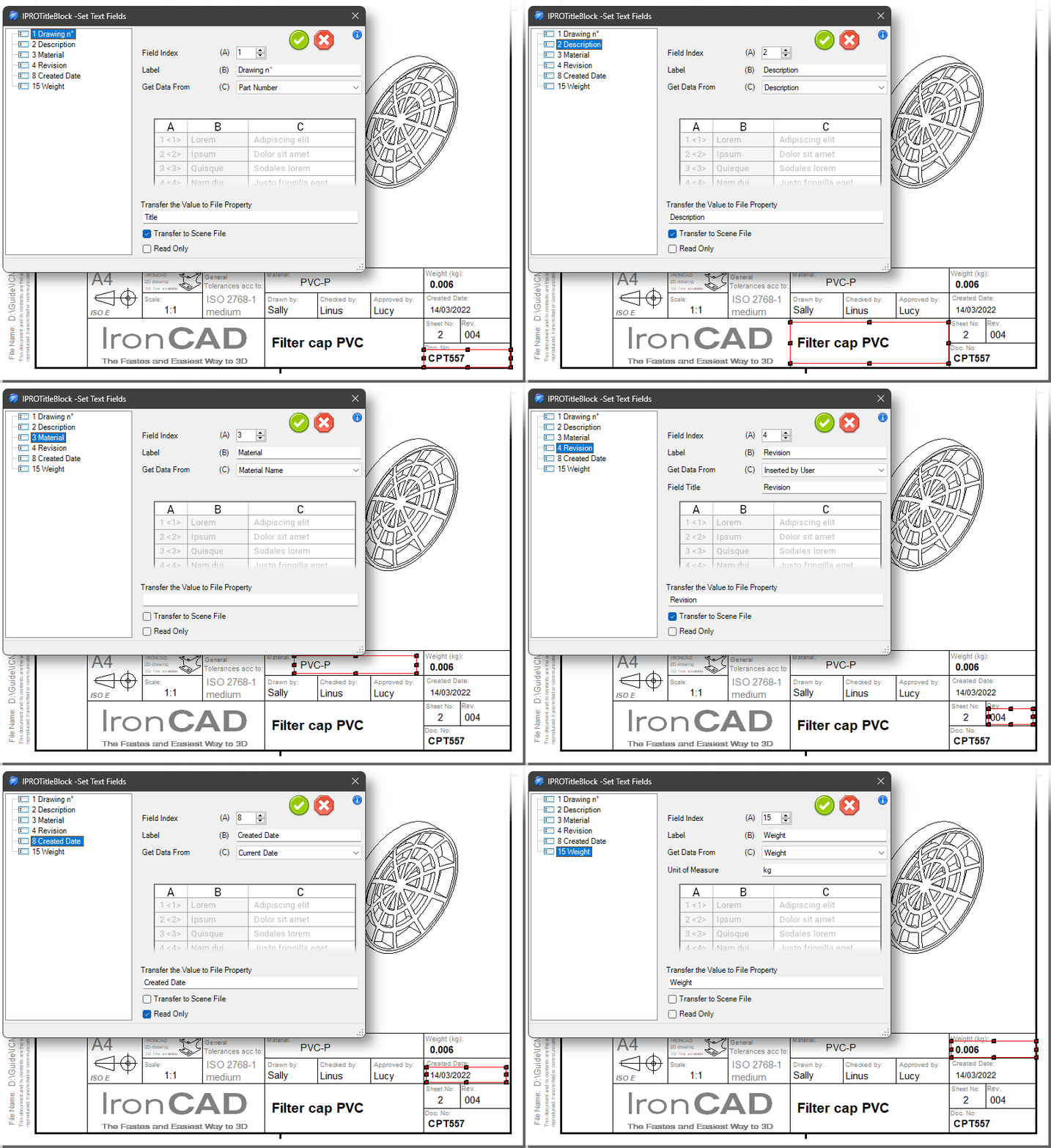
This tool is used to define the text fields that will be filled in by the Edit Title Block tool.
It is possible to define:
- the index for sorting the fields
- the text of the field label
- and from which data (from the 3D part) to take the value
It is also possible to:
- transfer the data entered in the TitleBlock to a file property
- transfer the data entered in the TitleBlock to the part property
- or make the data read-only and therefore uneditable
Tip
It is possible to select multiple text fields at the same time to make setting the fields more practical.