IronCAD Mechanical V. 2027.02
Fasteners Assembly
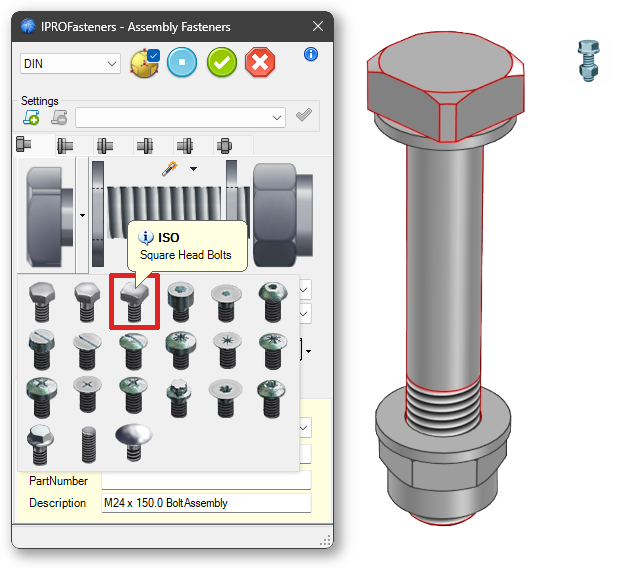
The bolt with a Square Head has also been added to the Fasteners Assembly dialog box.
Reorder SceneBrowser
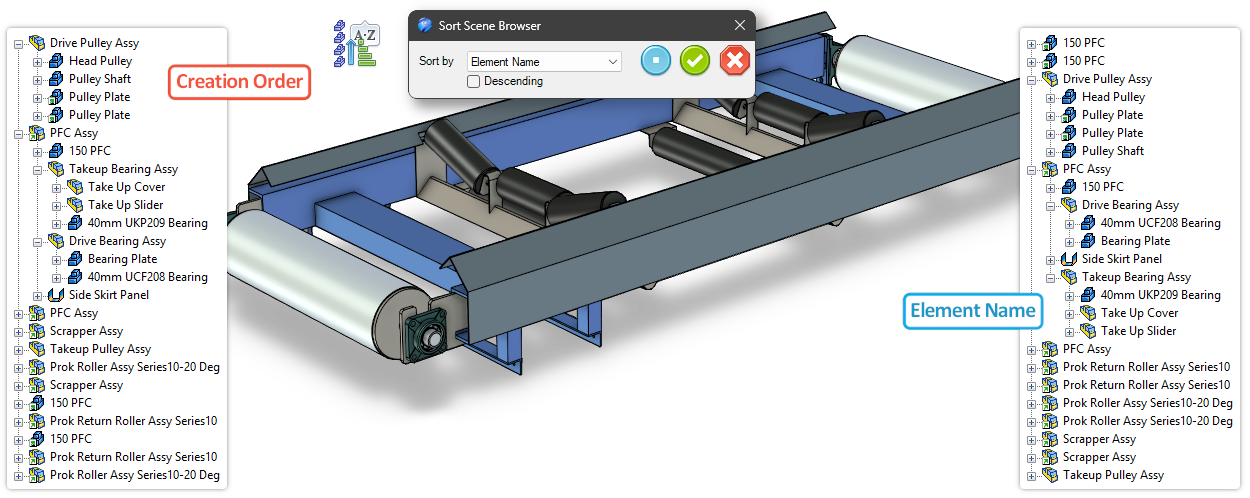
Added a Tool to the ICM Data Catalog to sort the SceneBrowser by Element Name, Part Number, Creation Order, Category, and Element Type.
Config By Property
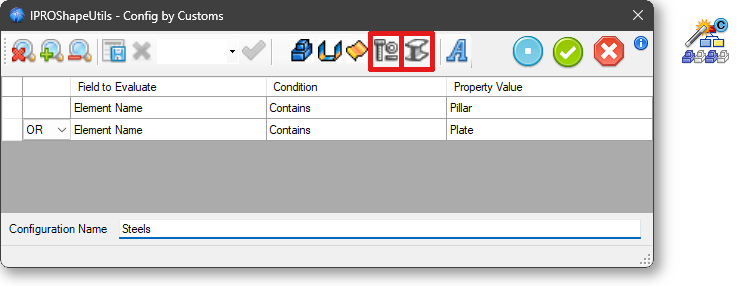
Added to Config By Property the ability to select “Fasteners” and “Steels” as search criteria.
External Link Manager
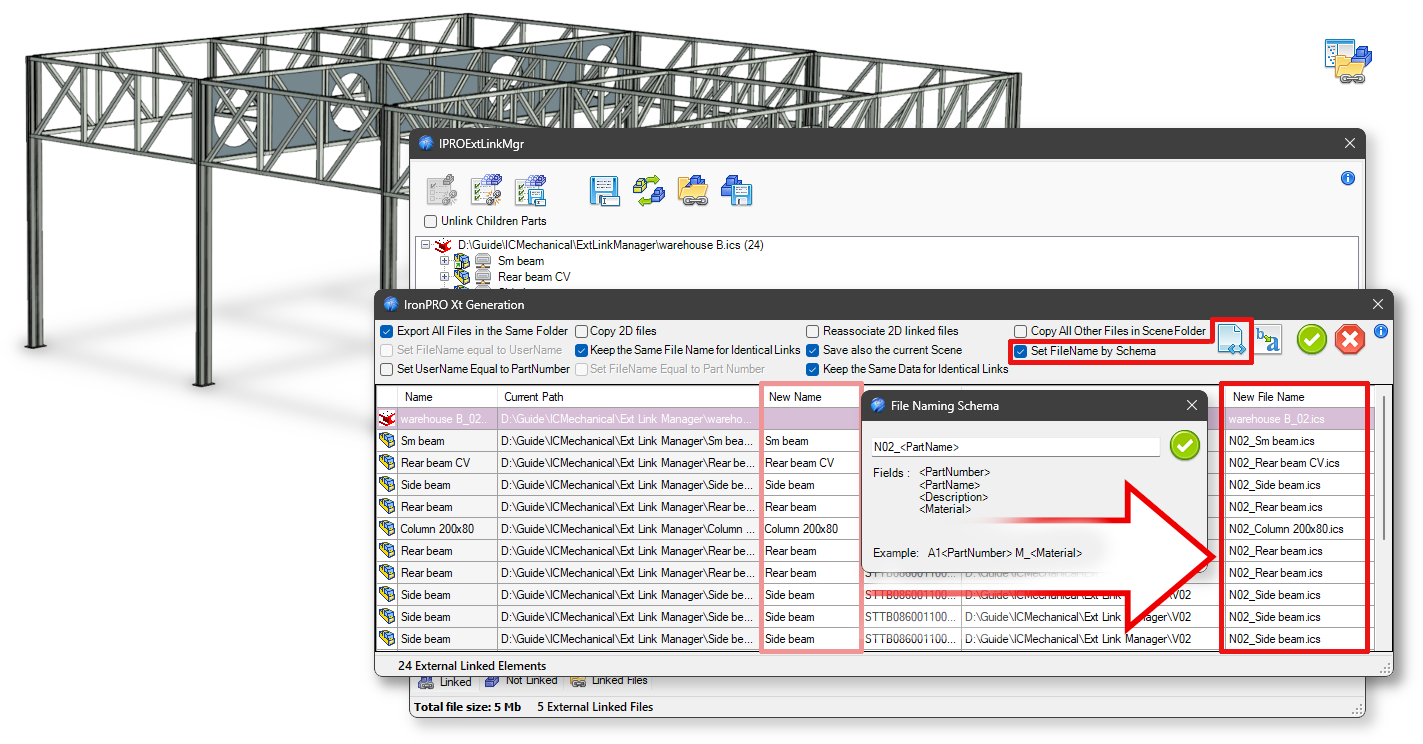
Added the “Set File Name by Schema” option for define the file name in the “Save All” dialog.
Detect Holes
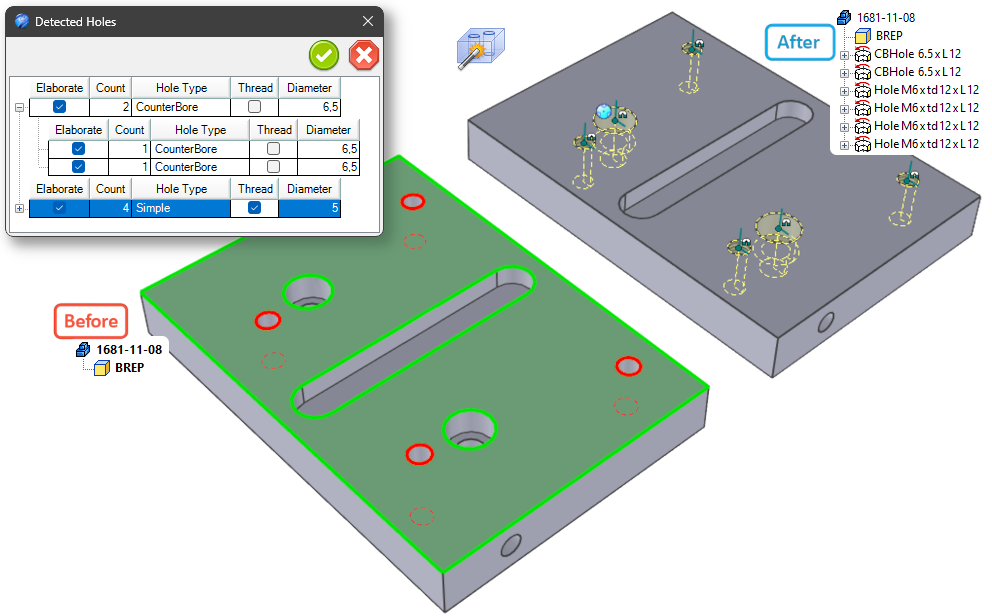
Improved hole recognition for imported components, improved the dialog box, added a preview for the active selection, and improved the selection of holes to be threaded and the processing of holes.
Export Elements
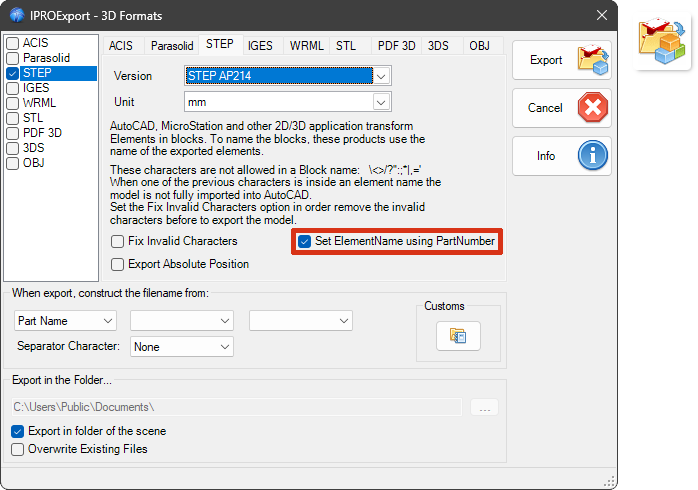
Option to export elements to STEP with a name matching the PartNumber.
Suppress Manager
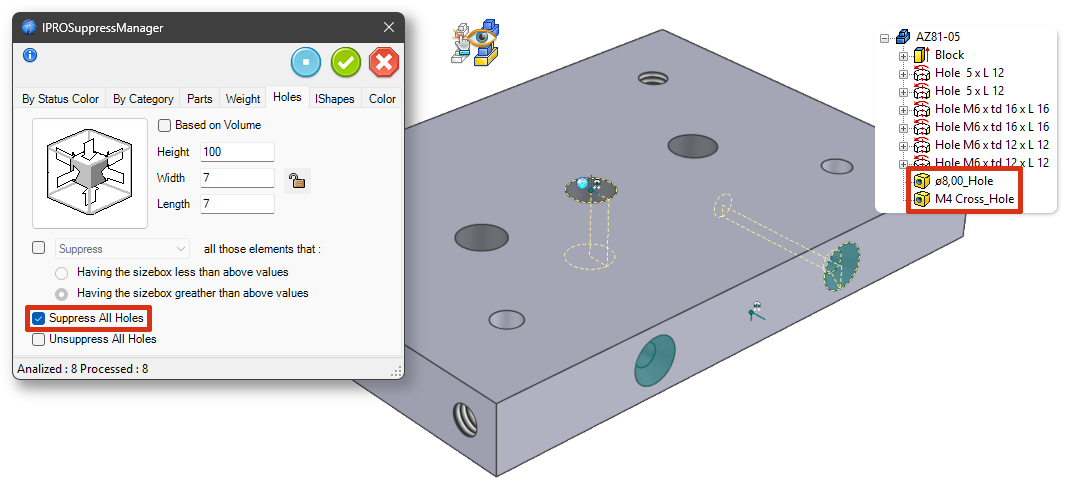
Custom Holes are now also supported and can be Suppressed as well.
Steels Cap – Joints – Place Hole&Fasteners
The tool for positioning joints and bolts has been improved; positioning is now easier as well.
Steels Cap
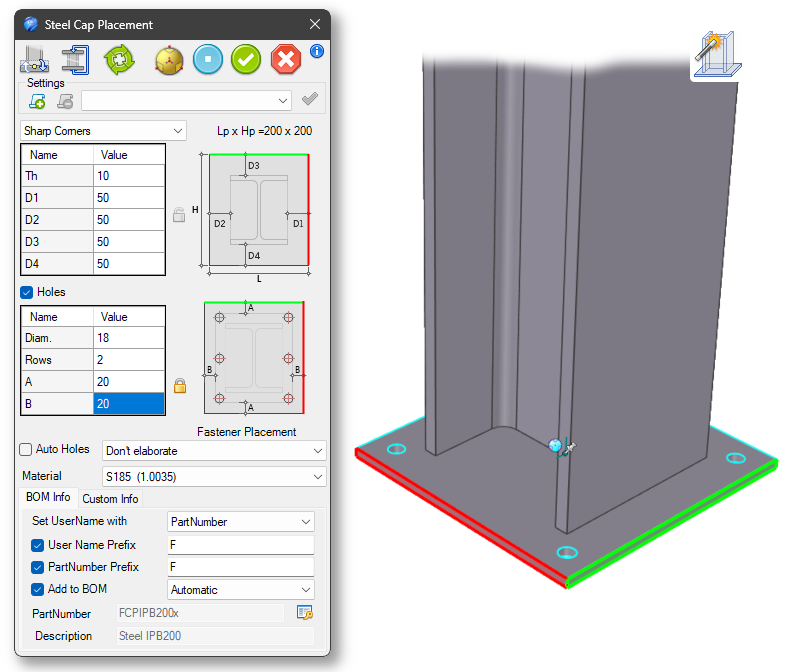
Added color coding to the faces of the CAPs to simplify the definition of parameters D1 and D3.
IPRO CAD Viewer
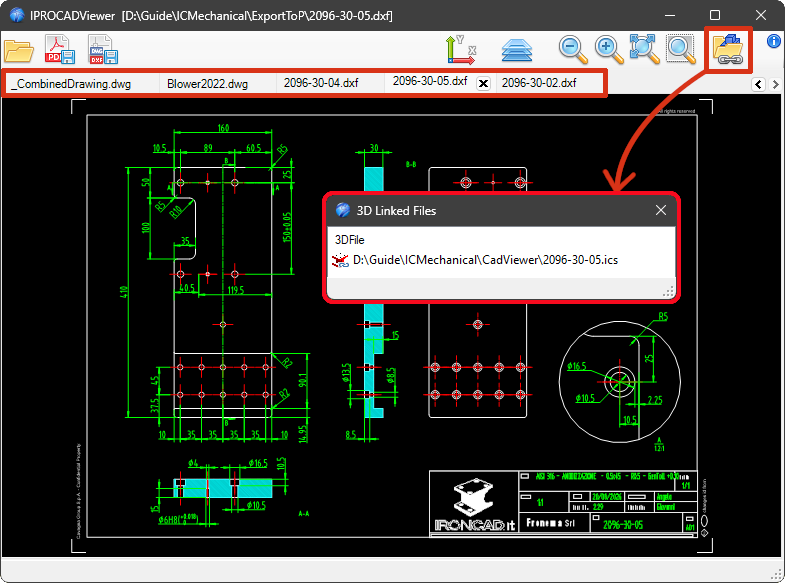
Improved overall functionality, including tabbed browsing for opening multiple drawings and the implementation of Drag&Drop from the File Manager onto the CAD Viewer window to open drawings directly. Added the ability to view ICS files linked to the DWG file.
ProActiveManager

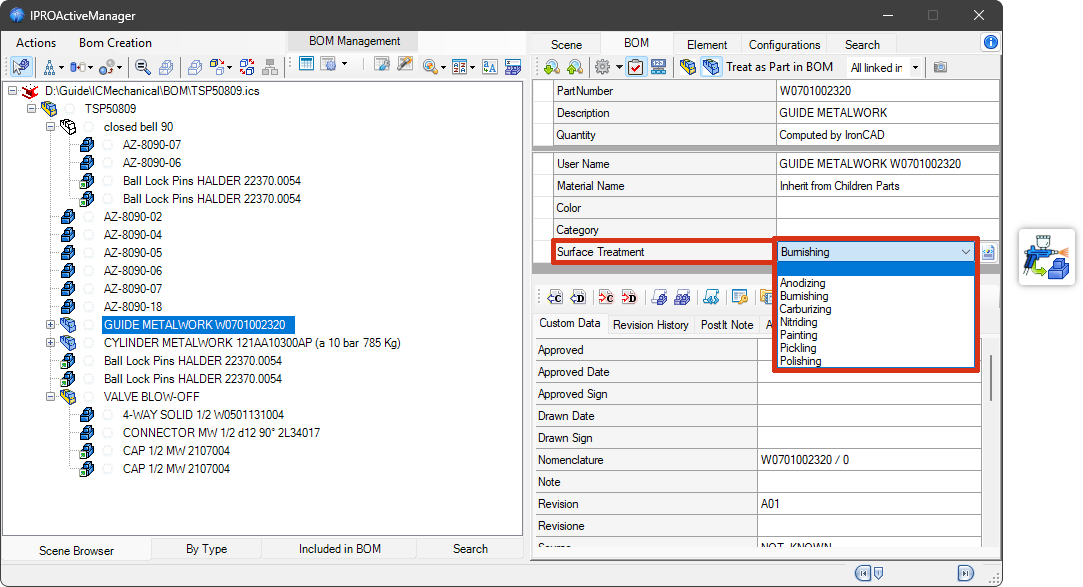
Surface Treatment
Added support for managing a CustomData field to configure “Surface Treatment”. And, in the same context, the tool was also added to the ICM Data Catalog to apply the Surface Finish to the part using Drag&Drop.