IronCAD Mechanical V. 2026.01
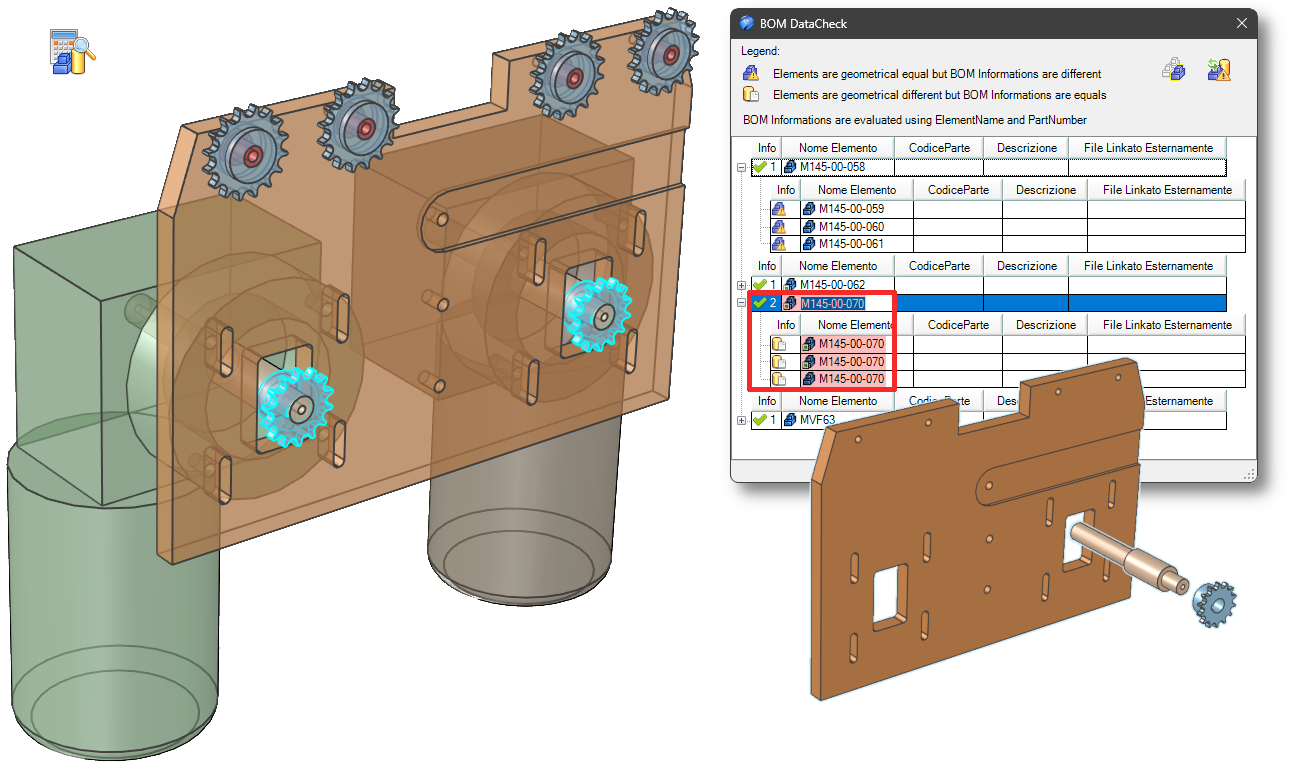
Check BOM Data
This new tool allows the customers to check consistency between Element Name and PartNumber on the elements in the model or in the selected assemblies.
This tool verifies whether the elements have different shapes but have the same Name/PartNumber. It also reports element having the same shape but different Names/PartNumbers.
O-rings
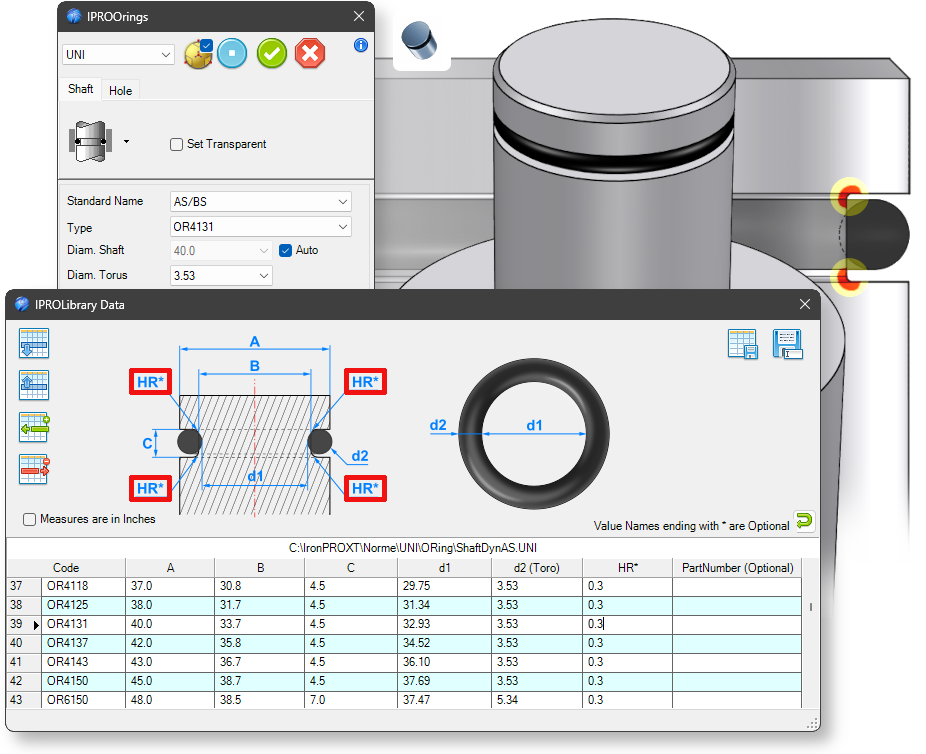
Added option in the data file to add a radius to the internal corners of the hollow made by the O-rings.
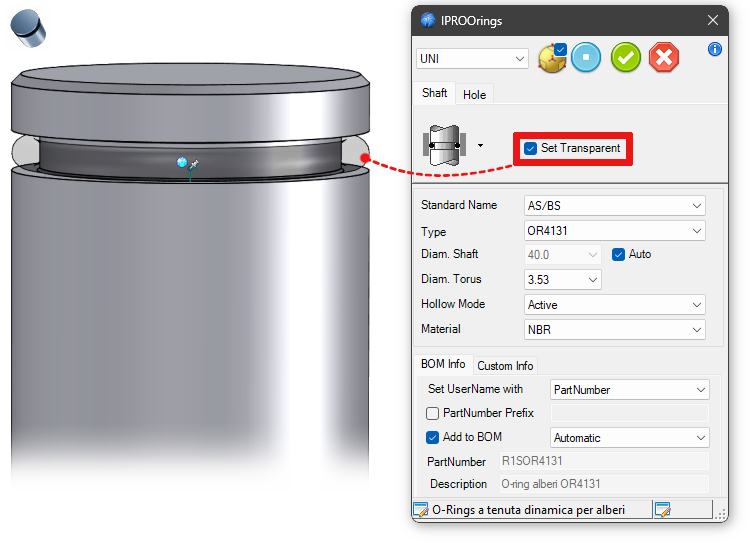
Added the Set Transparent option to allow easier placement of the component.
Fasteners
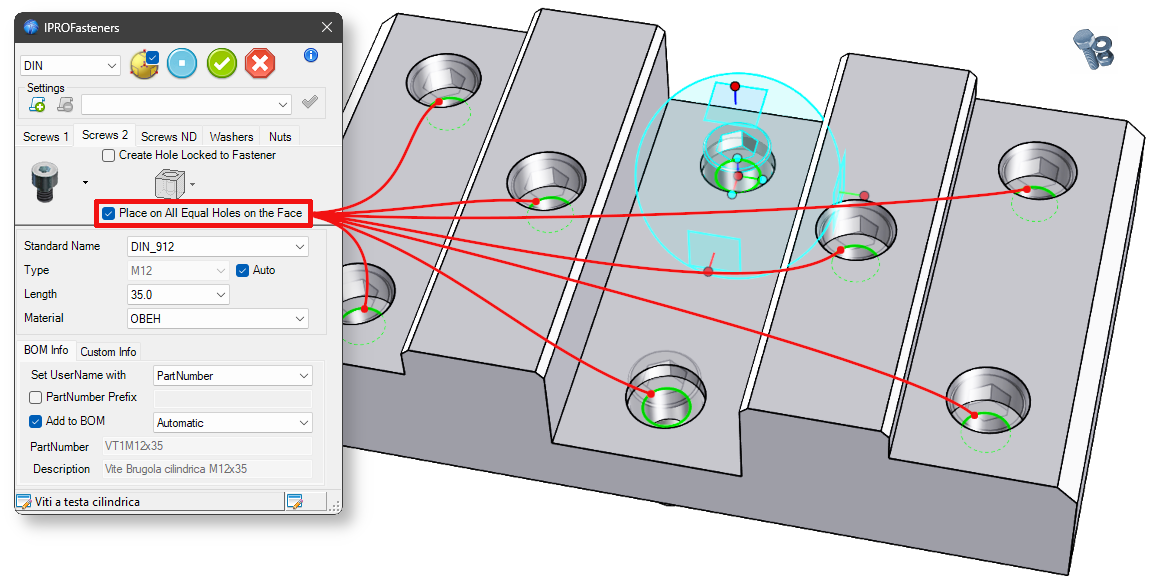
Improved functionality for positioning screws in holes on a face. The command now processes all edges that have the same size and normal direction as the selected face. This ensures that all screws are positioned correctly, even when selecting the bottom edge of a recessed hole or when the edges are on different surfaces.
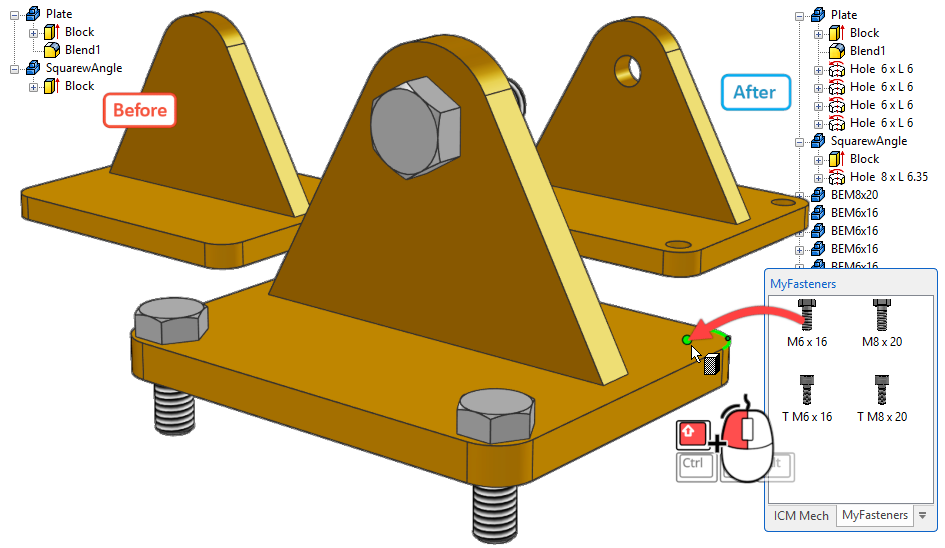
Fastening devices saved in the catalog can now drill through the element they are dropped onto when placed in the scene; to create the hole upon release, keep hold down the Shift key.
Bearings
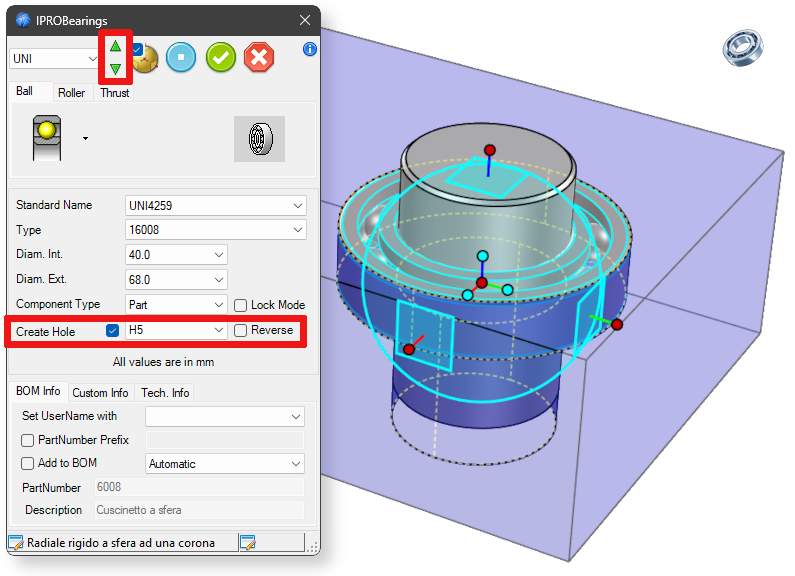
Improved creation of holes and recesses (for shafts and bearings), and added an icon to reverse the position of the TriBall.
Seeger
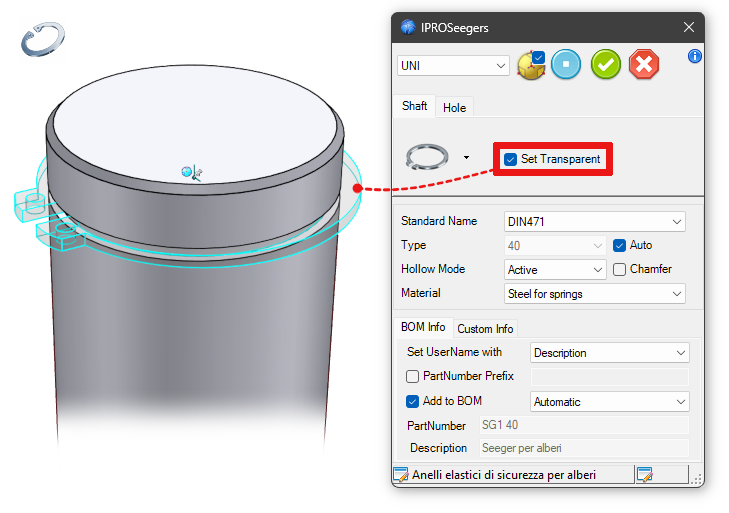
Added the Set Transparent option to allow easier placement of the component.
Custom Steels
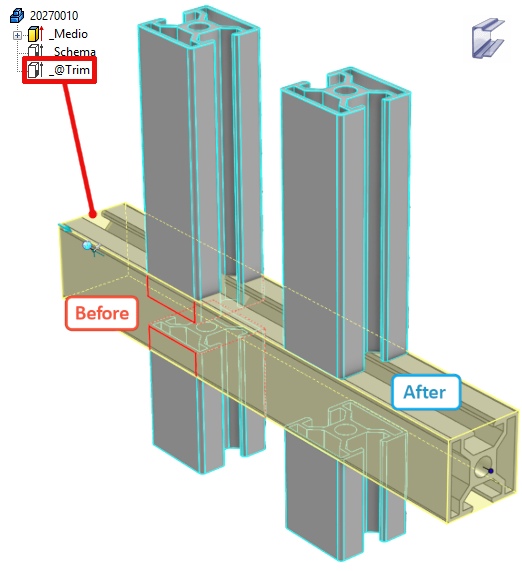
The cutting function in custom profiles has been improved, and the option to define an Intellishape named _@Trim has been added. This IntelliShape will be used as cutting element in the trim functions.
ExportUnfold
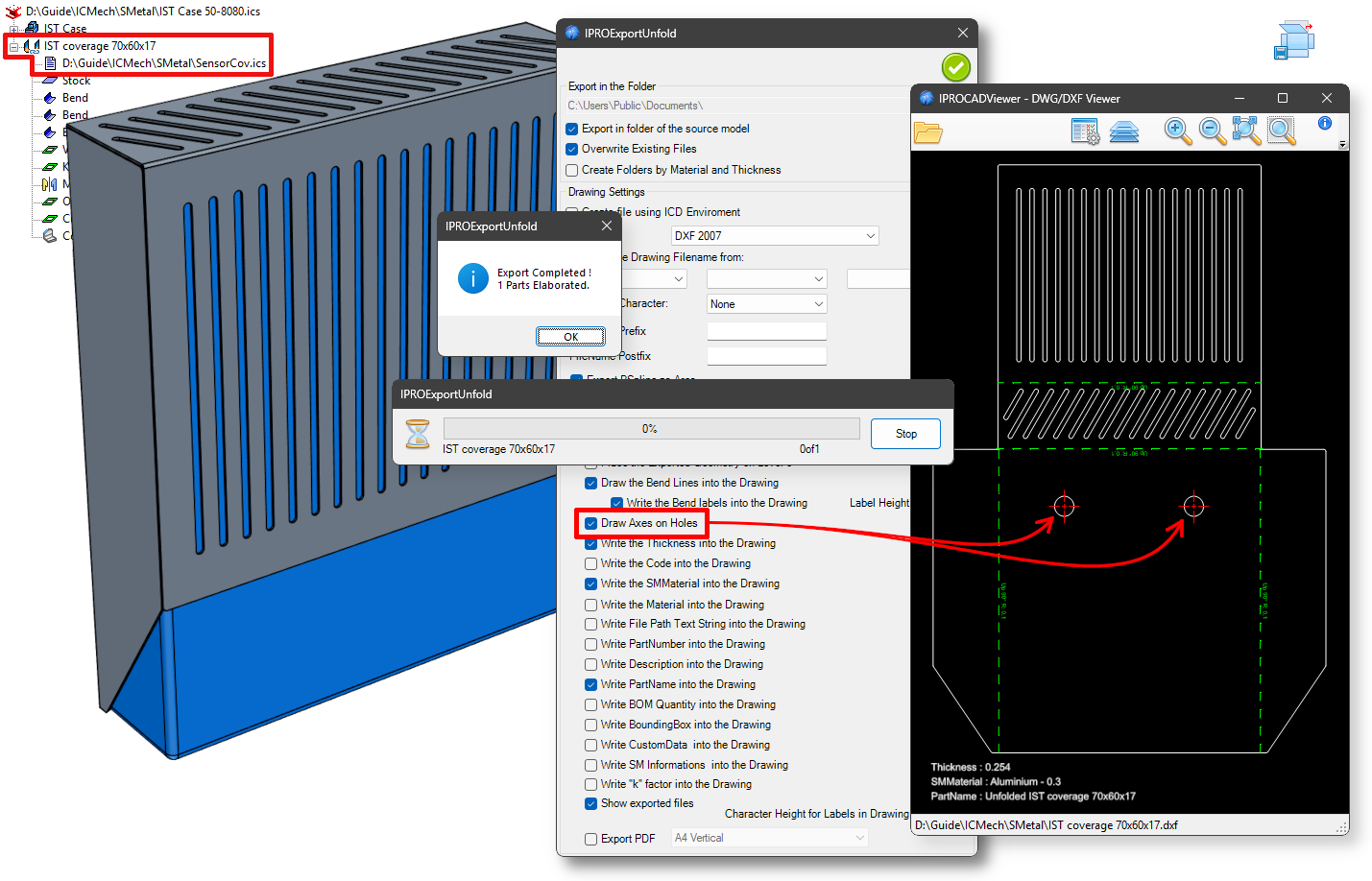
Improved functionality for exporting and managing Sheet Metal parts. Sheet Metal parts in linked externally files are now also directly processed.
Added option for creating axes on circular holes.
LinkManager
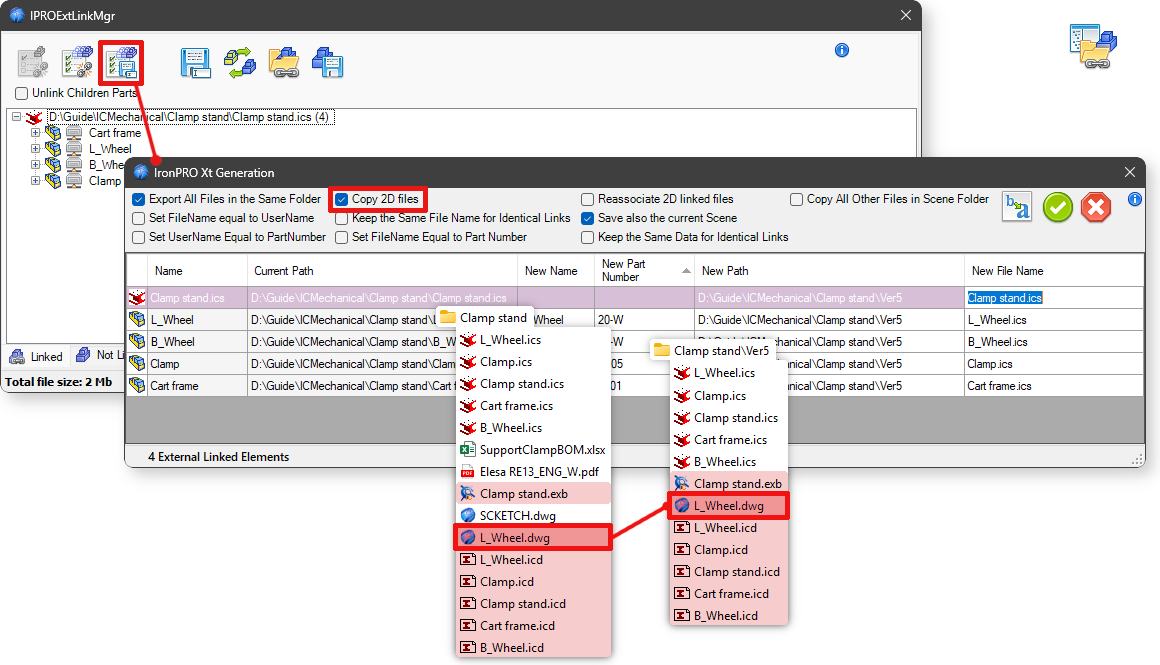
With the Copy 2D files option, the *.icd, *.exb, *.dwg files associated with the main file (which have the same name) are copied.
Camera Manager
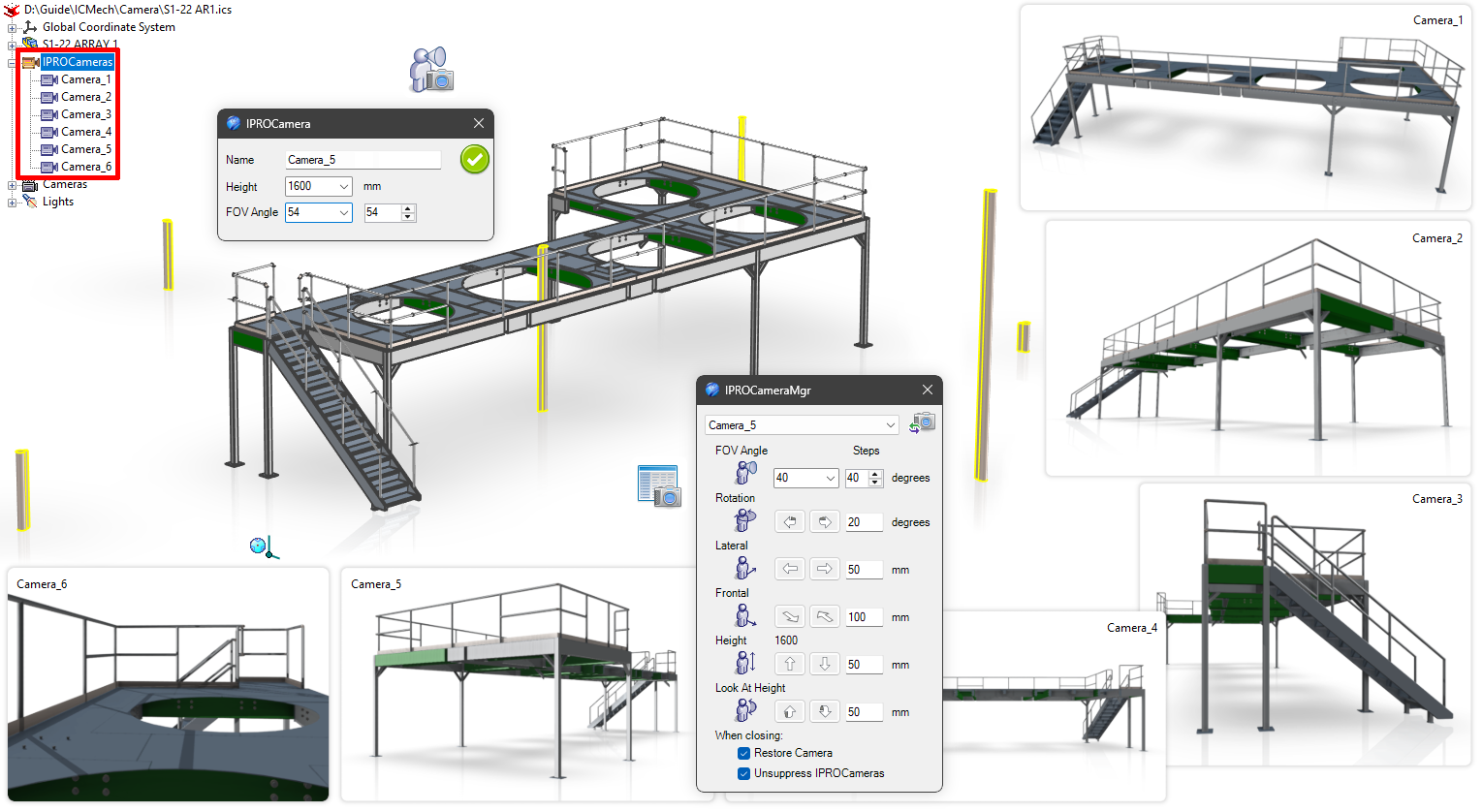
This new tool allows the user to place some IPROCamera parts in the scene and, when required, to look at the model using their position and height. Every IPROCamera can be moved using the TriBall. This tool, used with IPROViewManager is powerful to create images or view for presentations or doc-umentation.
ProActiveManager

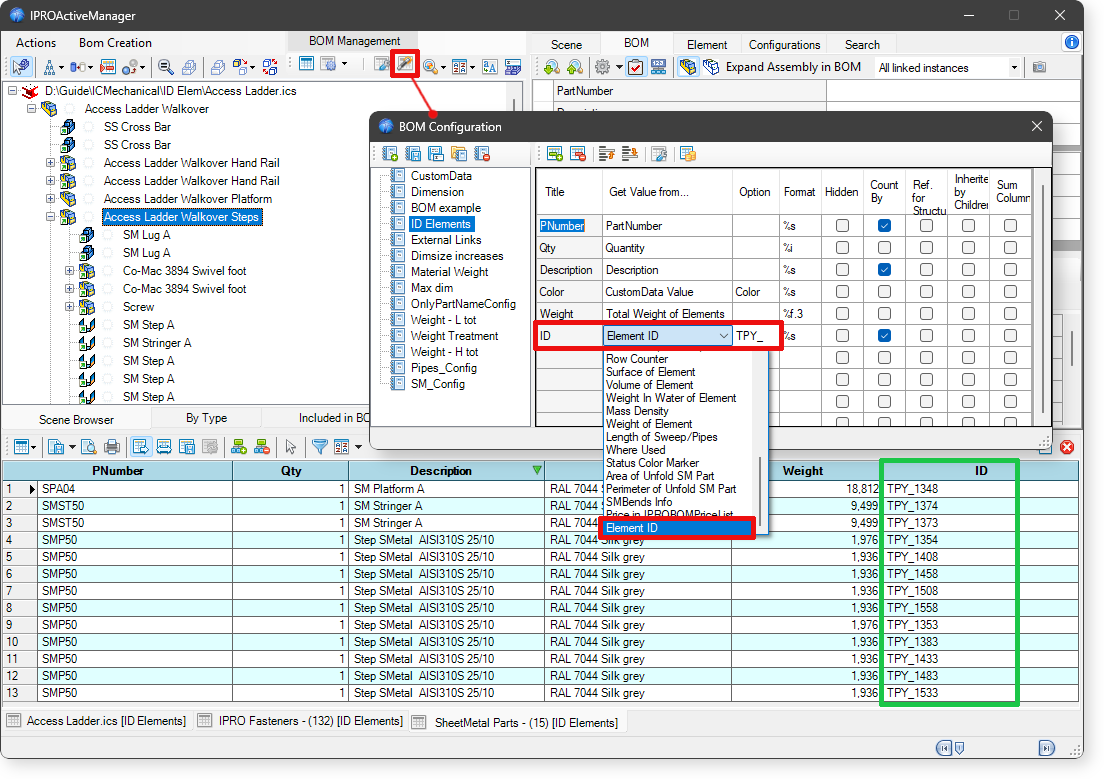
Element ID
Added the option to include the item ID in the BOM list. Furthermore, by entering a value in the Option field, the text entered will be included and the ID number will be added.
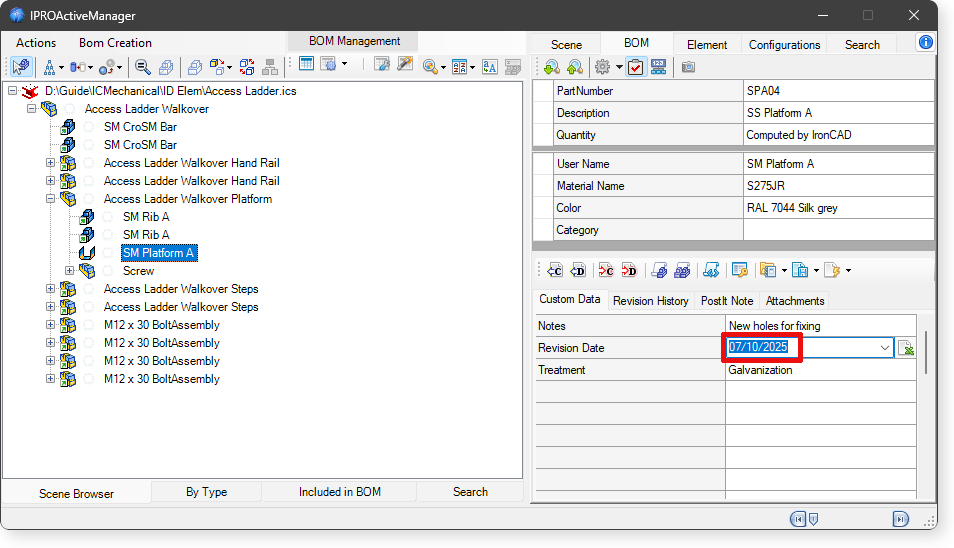
Data in CustomData
By typing Alt+d in the value field of a CustomData or Property, the current date will be written in the combo box.
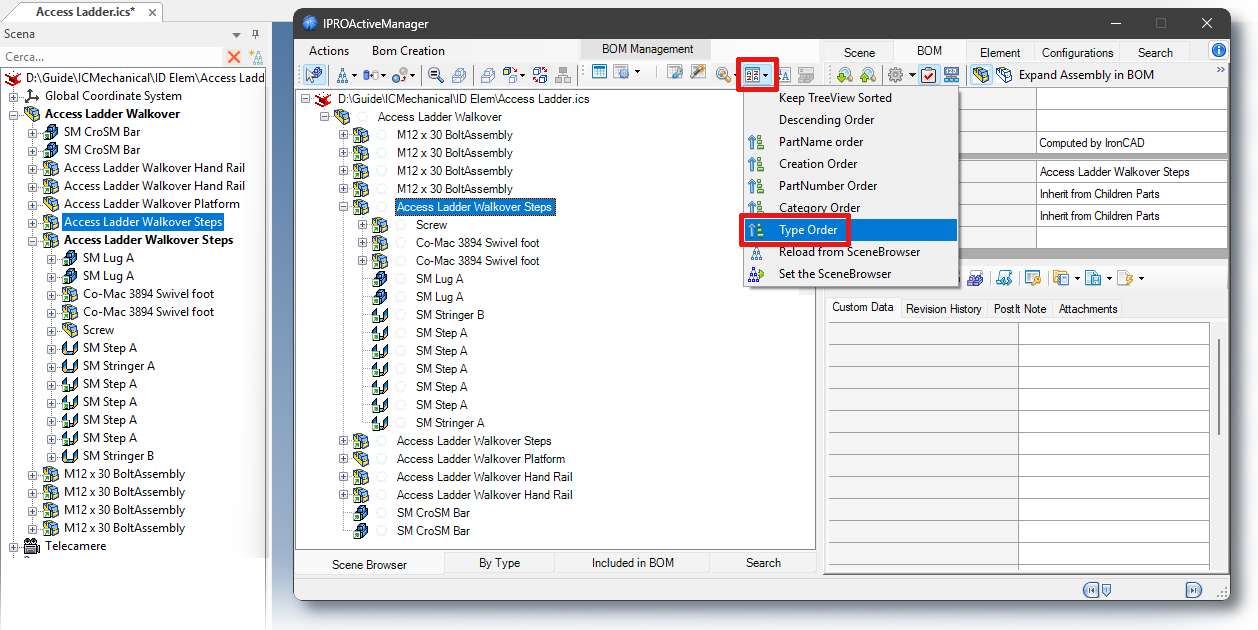
TreeView
Added the option to sort the Scene Treeview. This option allows sorting by Assemblies, Parts, Sheet-Metal, considering the element code.
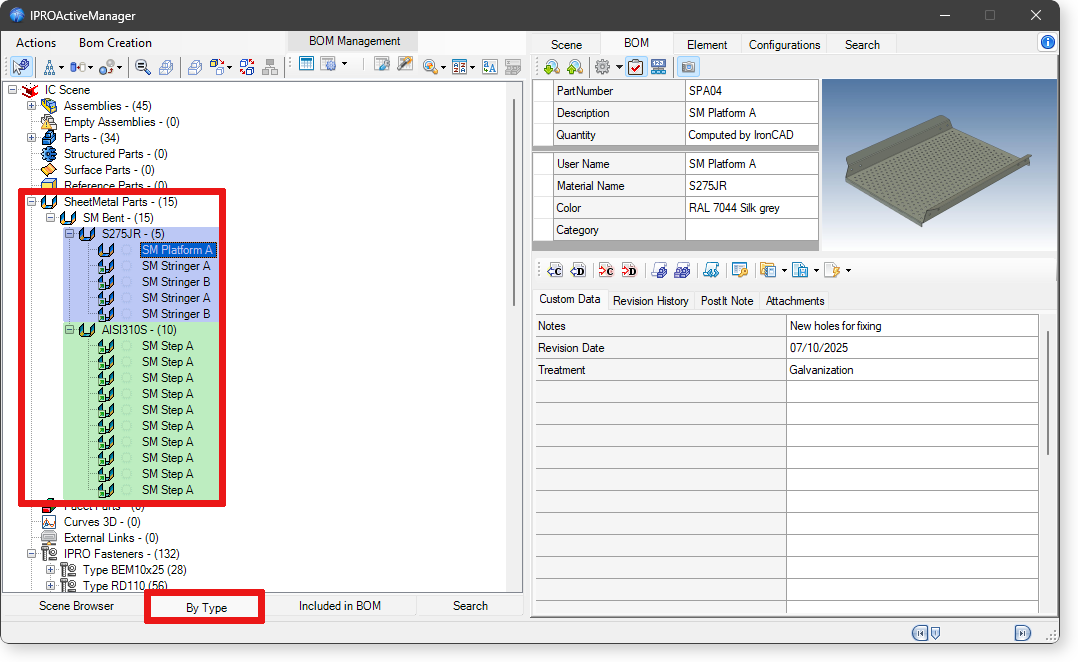
 In the ByType TreeView, Sheet Metal parts are grouped according to their material.
BOM SheetMetal
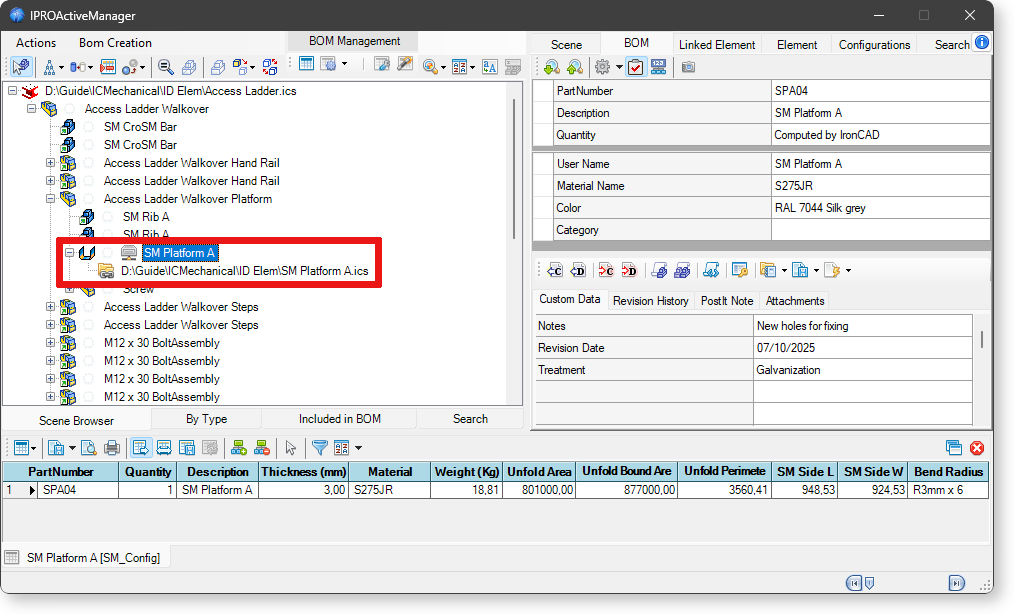
Improved algorithm for detecting values on developed Sheets Metal part (Area, Perimeter, Bend Ra-dius, etc.). This function works also on sheet metals placed is in an externally linked files. This bypass-es an IronCAD rule that does not allow externally linked sheet metal to be developed in the main file.
Shell Steels Surface
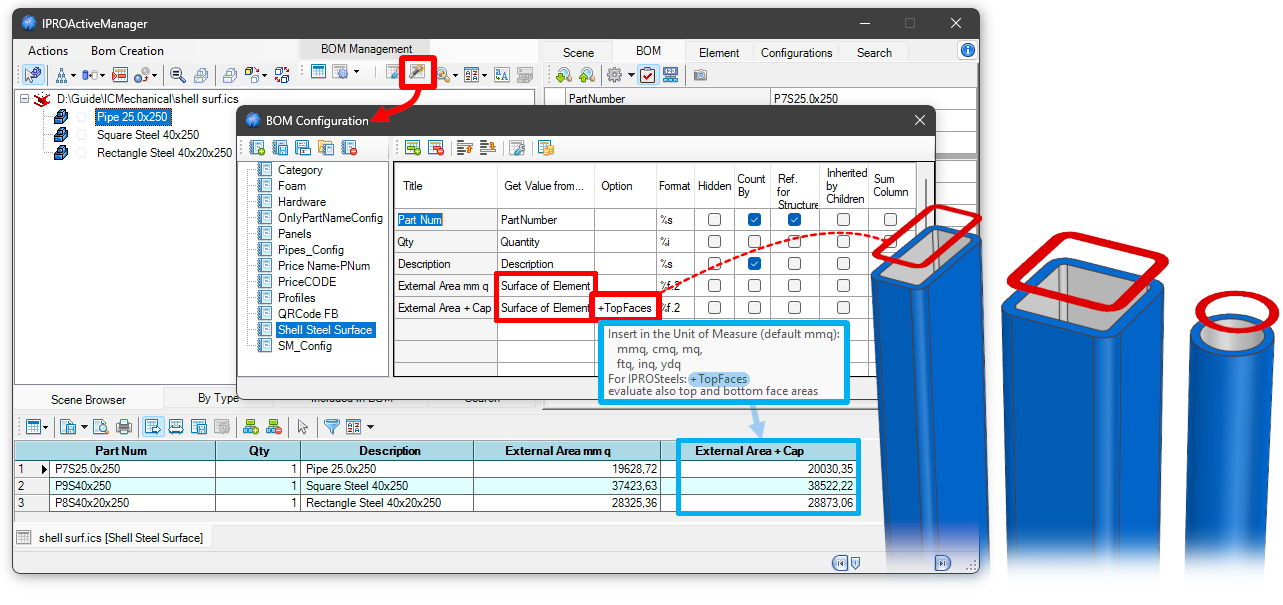
Implemented +TopFaces option for processing the surface value in the bill of materials. In the case of tube, rectangular, and square hollow steels, activating this option also calculates the area of the faces at the top and bottom of the steel.
QRCode in Excel BOM
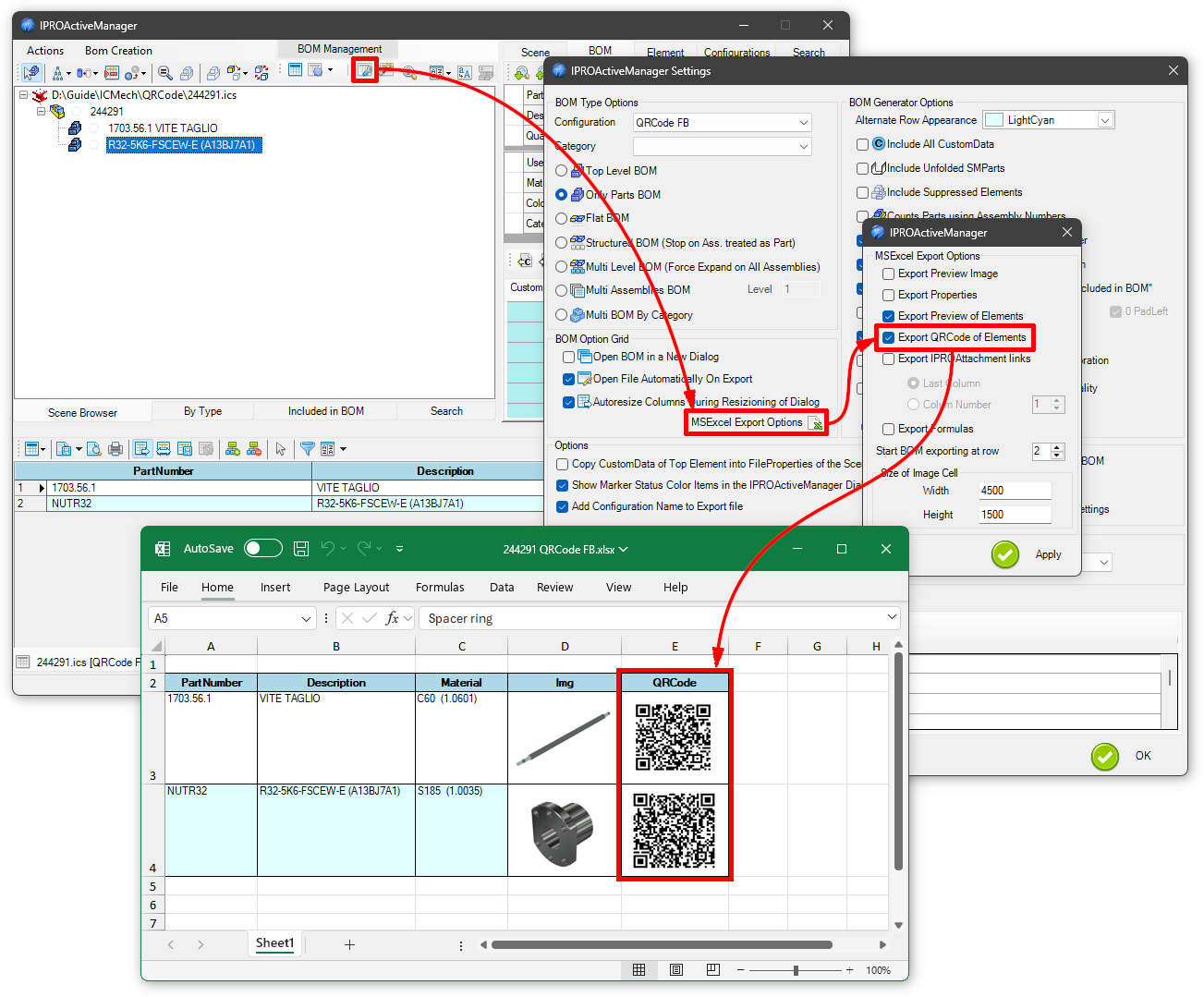
Added option to export the QRCode of parts to the Bill of Materials (Excel only).
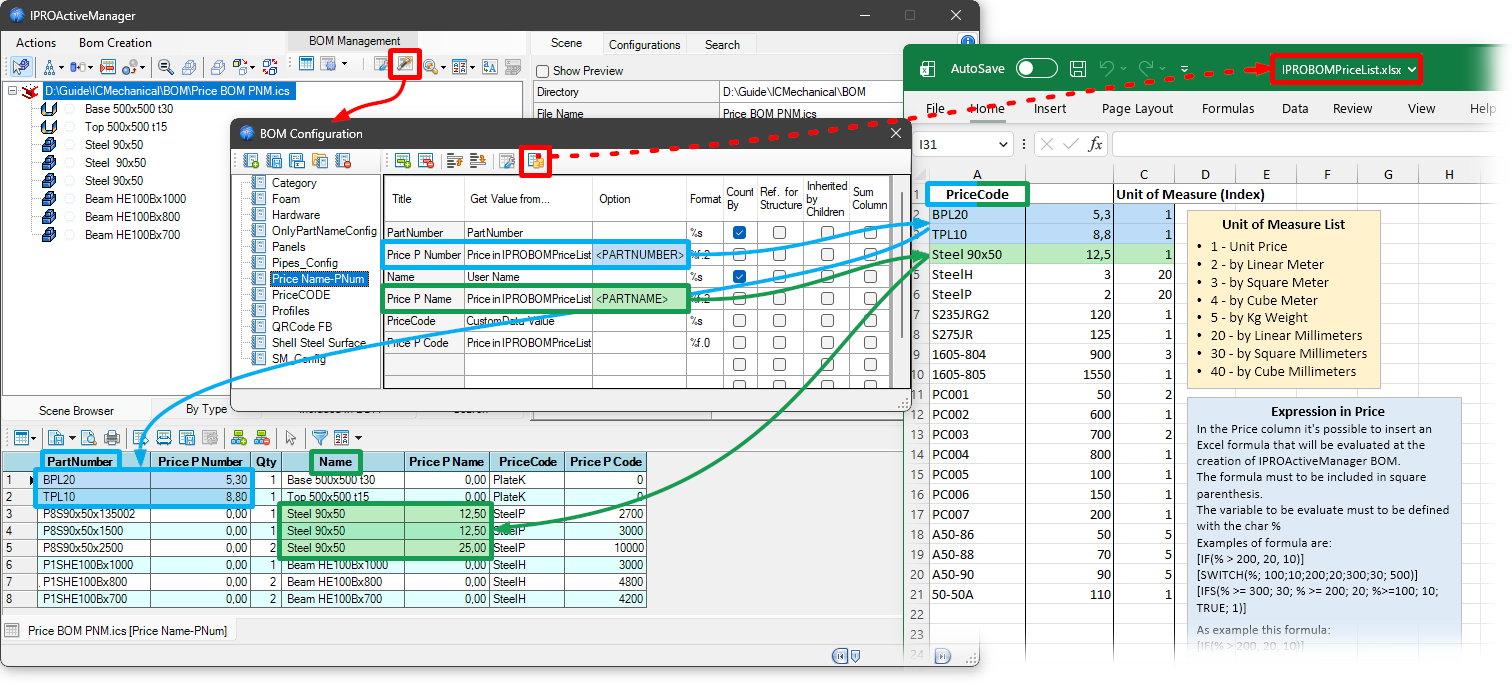
Price Management
Added the ability to use <PARTNAME> and <PARTNUMBER> to search for the Excel file for prices based on the item name or code.