Fasteners and Holes

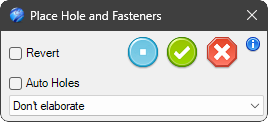
With this tool, you can add various types of Fastener to a steel plate; simply drag the tool onto the steel surface.
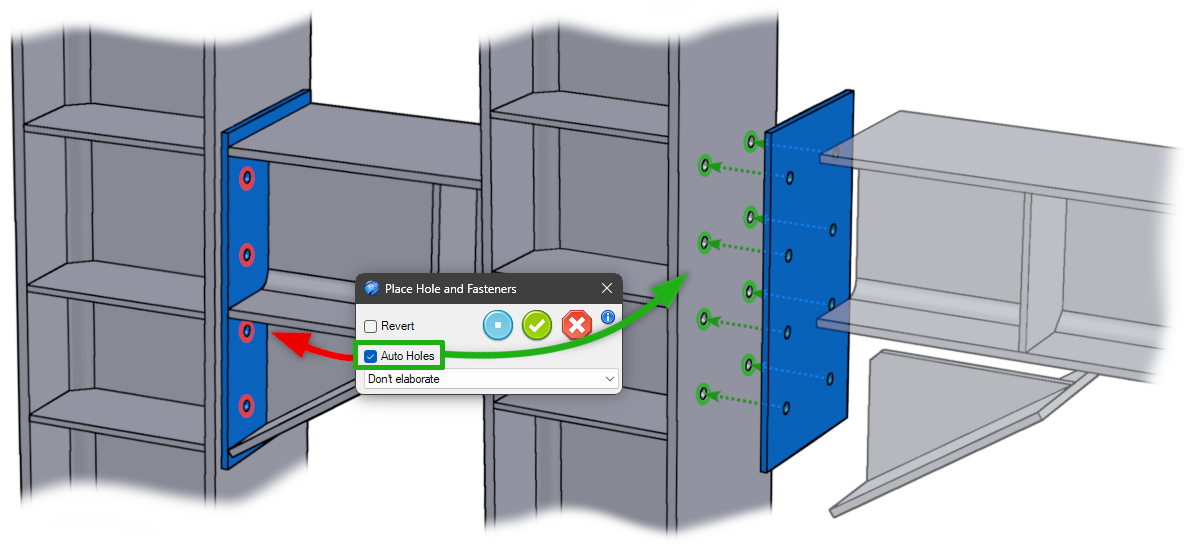
Fastener Placement
- Revert - to reverse the direction of the bolt
- Auto Holes - automatically creates the corresponding holes in the support element plate.
The drop-down menu allows you to add bolt groups.
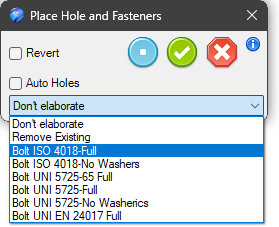
Available options include:
- Do Nothing - take no action
- Remove Existing - if present, remove the bolt groups
Or you can choose which type of bolts you want to place
- Bolt…type…
Note
If there is no match with the hole, a standard bolt will be placed and colored RED to highlight the mismatch between the bolt and the hole.
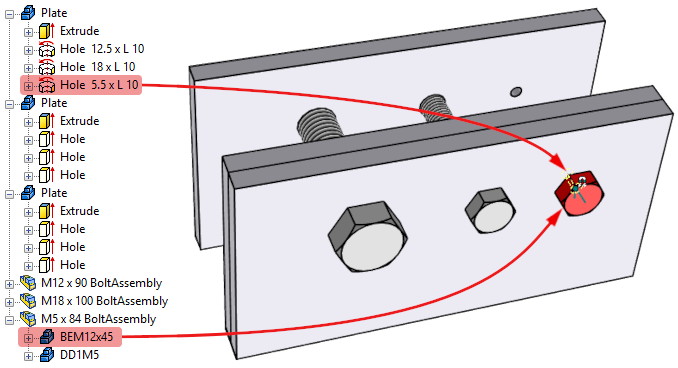
How add custom Bolt type:
The bolt types you want to use must be saved in the folder
..\Library\SteelsLib\Fasteners
- In a new scene, add a Fasteners Assembly
- Select the bolt type, washer, and nut
- In the parameter table, add these parameters to the assembly:
- IPROCode - sets the component size
- IPROLen - sets the length of the bolt shank
- IPRODist - calculates the thickness of the plates used to position the washer or nut
and all components:
- IPROCode
only to bolt:
- IPROLen
to second washer (or if non here to the nut)
- IPRODist
and referred all to the assembly parameters
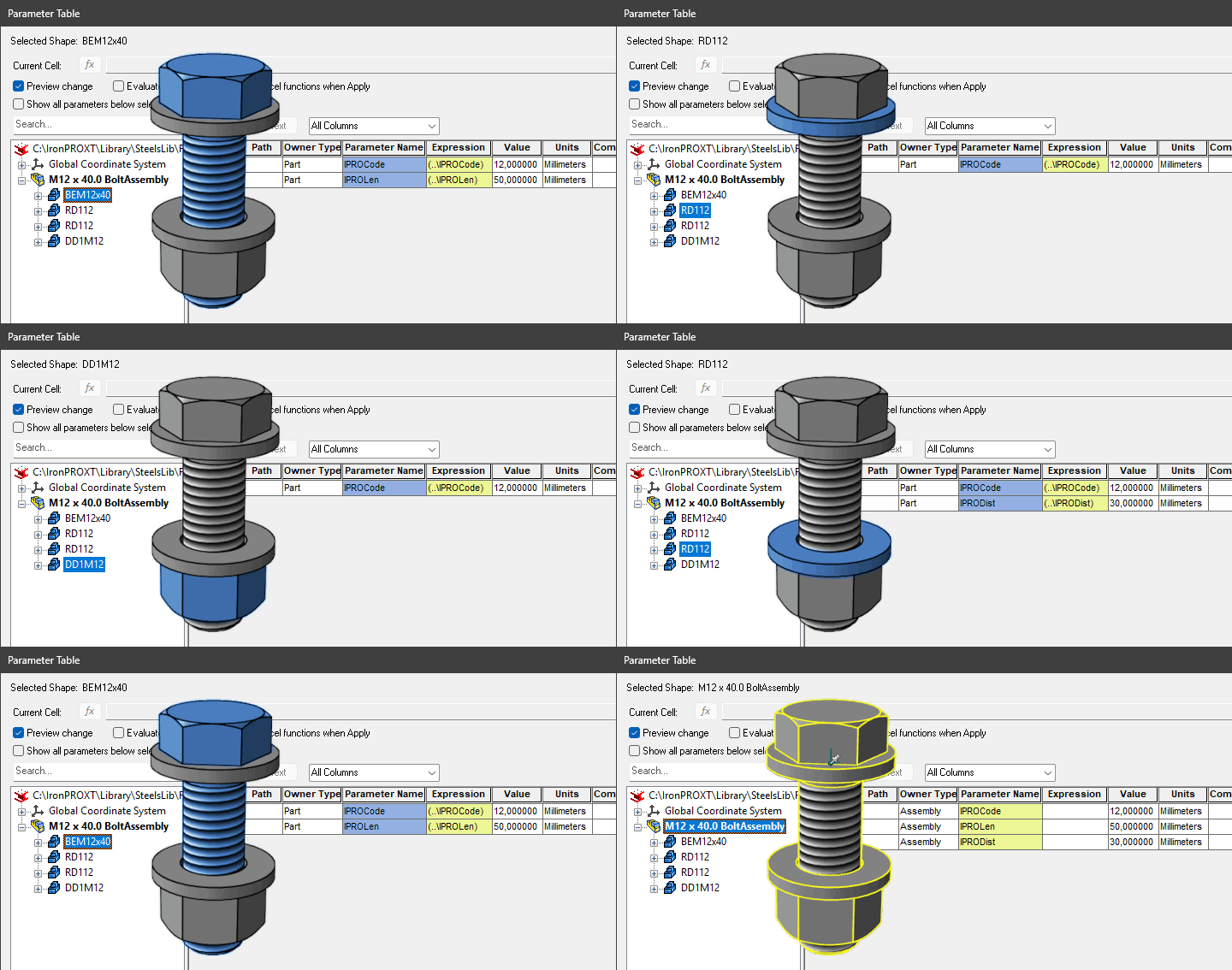
- Save the file with a meaningful name, e.g., Bolt ISO 4018 - No Washers.ics in:
..\Library\SteelsLib\Fasteners
- Library
- Pipes
- Profiles
- RailingsXT
- SteelsLib
- Caps
- Ribs
- DataFiles
- Fasteners
- Bolt ISO 4018 - Full.ics
- Bolt ISO 4018 - No Washers.ics
- Bolt …..
- SteelStairs
- Tabs