Search by Geometry Equality
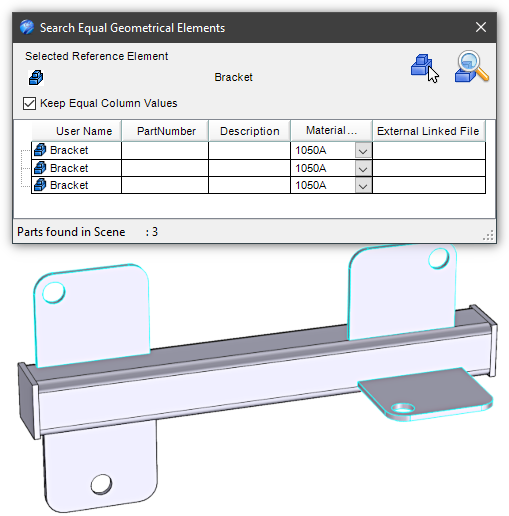
 This tool searchs all parts that are geometrically equal, to a selected reference part.
Operativity
- Select the element whose equal ones you want to find,
- drop the tool in the scene,
- click the Lens icon to find and count all equal elements.
or:
- Drop the tool in the scene,
- select the element whose equal ones you want to find,
- click the Part icon to recognize the geometry of the element,
- click the Lens icon to find and count all equal elements.
The property values of the elements found are editable, and activating the “Keep Equal Column Value” control allows the values to be kept equal.