Setting material

The Set Material tool allows you to assign or modify the material properties can add or delete a material category, edit a material by assigning it a name and a density, and also set the graphic appearance by choosing the transparency, color and or texture, you a code and description, can also assign a Caxa hatch type and assigning.
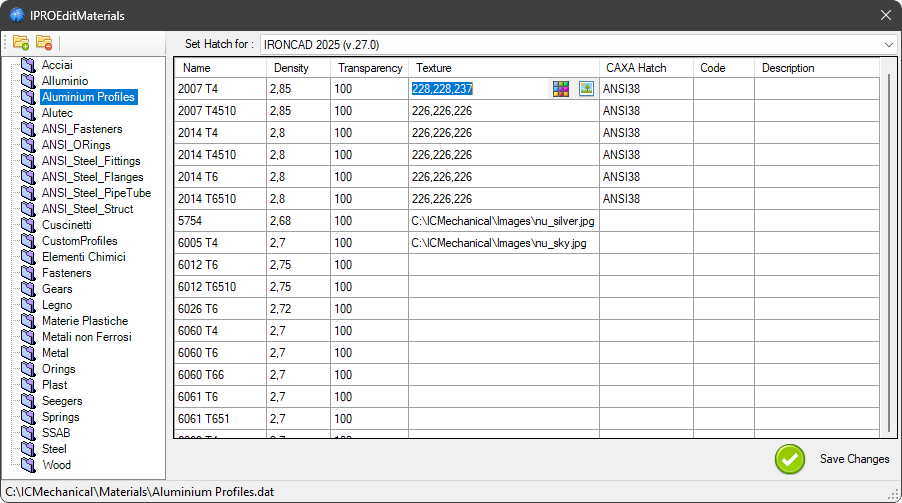
By using Set Material, you can ensure that every component in your design has the correct material attributes, which are essential for accurate mass calculations, structural analysis, and rendering. The command also helps standardize the use of materials across different projects, improving consistency and efficiency in the design process.
Important
It requires administrator permissions to run.
Tip
The list of materials is stored in several files that you find in the folder ..\ICMechanical\Materials
You can also change in which directory you store the files, in DataFiles -> Material