Combine Drawings

The Combine Drawings tool allows you to merge multiple 2D drawings into a single drawing. This is particularly useful when working with assemblies or projects that generate separate drawings for individual parts or subassemblies and need to be reviewed, shared, or managed as one coherent document.
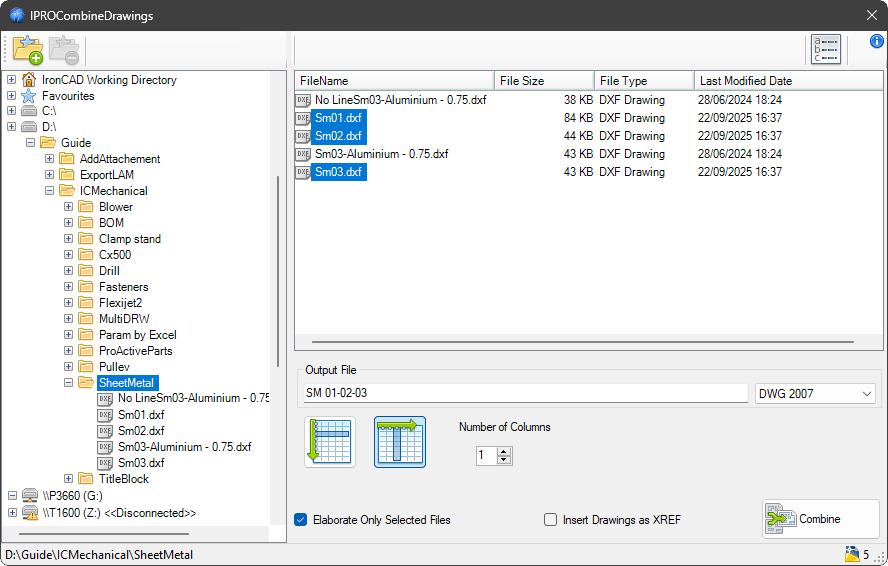
By using this command, selected drawings can be combined while preserving their original views, annotations, dimensions, and layout settings.
You can decide on the output file name, format, and composition by specifying the order in rows or columns.
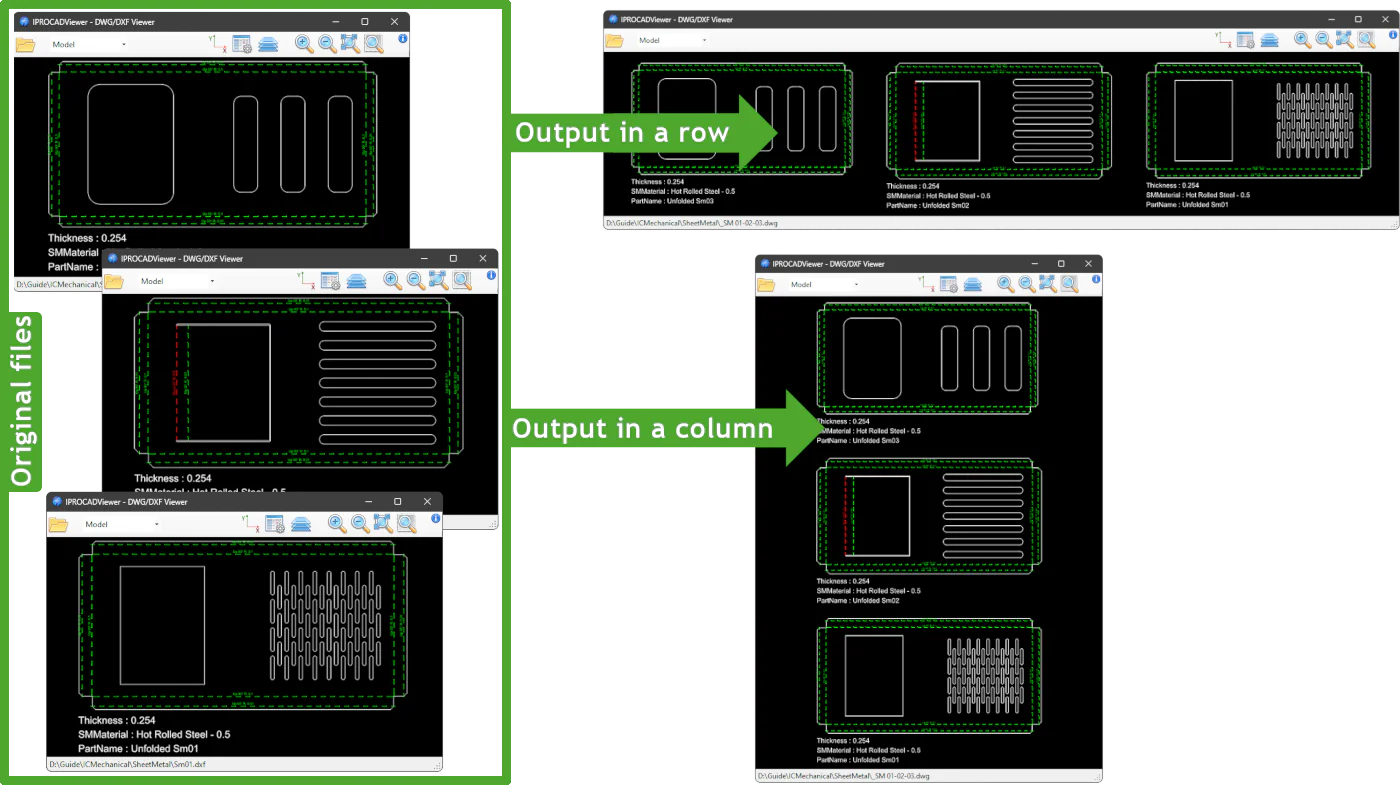
Process all files in the source folder or only selected ones, and choose whether to insert the files as XREFs (links) in the output file.
This tool is especially valuable in workflows that require comprehensive technical documentation, coordinated design reviews, or streamlined export and printing of multiple drawings in a single file.